clanger.nvim
- #neovim
- #plugin
- #c++
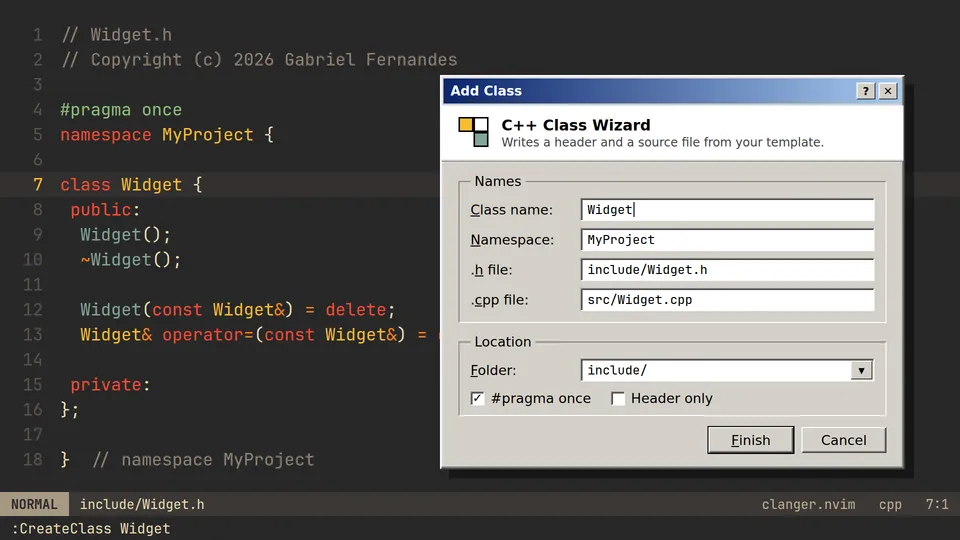
C++ class wizard for Neovim: new classes from templates, header/source switching and method stubs.
lua · neovim
on this page
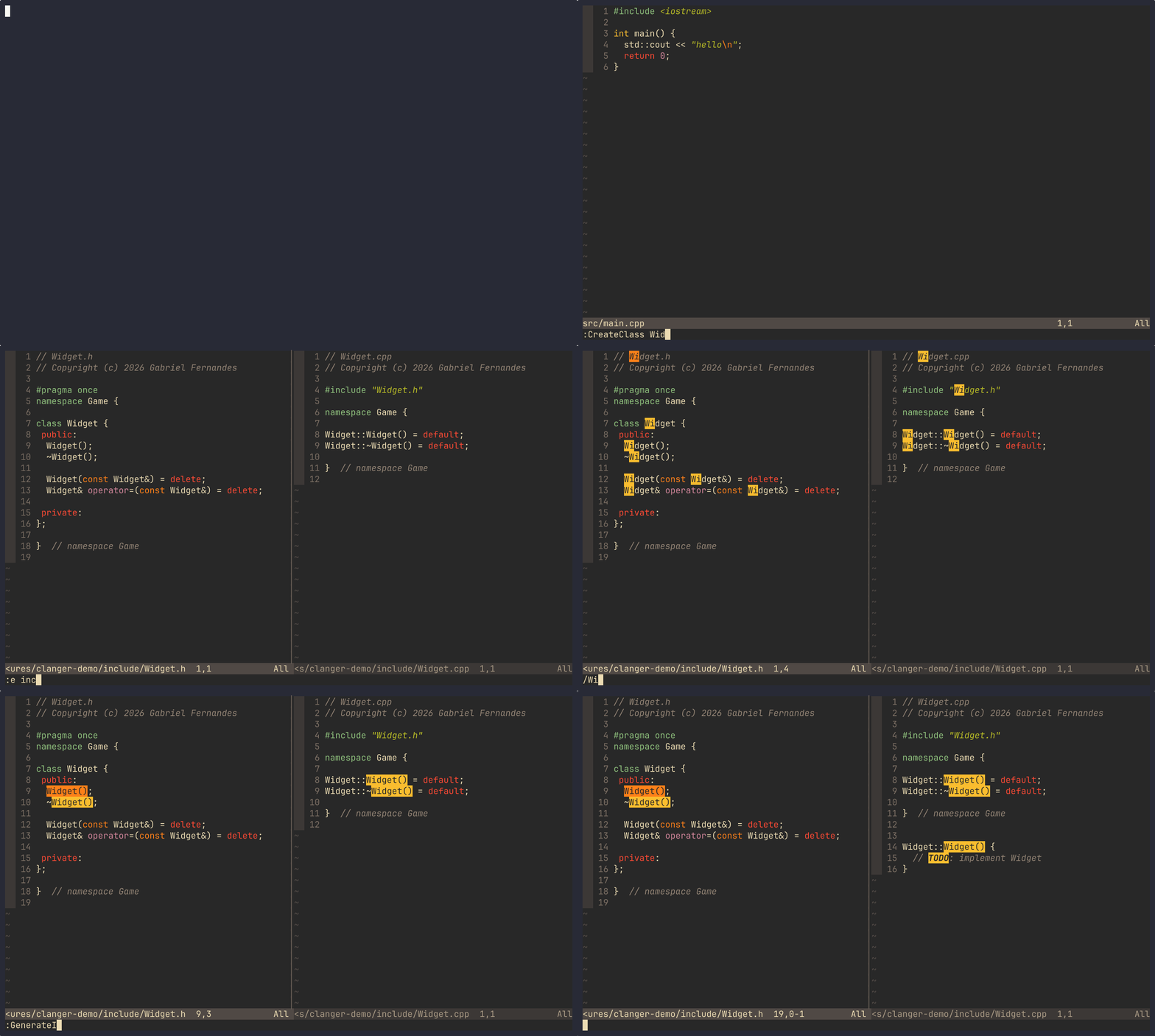
clanger.nvim is the "Add Class" dialog from Visual Studio, for Neovim. :CreateClass Widget asks which folder to use and writes Widget.h and Widget.cpp from a template. It also jumps between header and source and turns a declaration into a stub in the source file. Per-project settings go in a .clanger JSON file.
##Commands
:CreateClass [Name]       header and source from the class template
:CreateStruct [Name]      header only
:CreateEnum [Name]        header with an enum class
:CreateInterface [Name]   header with a virtual destructor
:CppNewFile [Name]        pick a template kind, then a name
:CppSwitch                header <-> source (alias :SwitchHeaderSource)
:GenerateImpl             stub the declaration under the cursor
:CppAddGuard              add an include guard or #pragma once
:CppRenameSymbol Old New  rename a class in every C/C++ file
:CppProjectInfo           root, loaded .clanger, picker and keymaps
The create commands prompt for a name if you leave it out. The folder list holds the include_dirs and source_dirs that exist under the project root, their direct subfolders, and the root. Both files of a class go into the folder you pick. The list opens in whichever of snacks.picker, fzf-lua, telescope or mini.pick it finds first, and falls back to vim.ui.select.
##How the C++ parts work
:CppSwitchfirst looks next to the current file, then searchesinclude_dirsorsource_dirs. If nothing matches it offers to create an empty counterpart.:GenerateImplreads lines up to the;, not a syntax tree. It dropsvirtual,static,explicit,inline,overrideand default arguments, keepsconst,noexceptand trailing return types, and prefixes the enclosing class name. The stub is appended to the end of the source file, which in the default template is after the closing namespace brace. With no source file it goes to the clipboard instead.:CppRenameSymbolis a whole-word text replace, not an LSP rename. Files named after the old class are renamed too. It skips hidden folders,build,outandnode_modules.
##Project config
The root is found from markers such as .clanger, compile_commands.json, CMakeLists.txt and .git. A .clanger file there is merged over your setup() options:
{
  "default_namespace": "Game",
  "author": "Gabriel Fernandes",
  "guard_style": "pragma",
  "include_dirs": ["include"],
  "source_dirs": ["src"],
  "default_boilerplates": {
    "struct": { "header": "{GUARD_OPEN}\n\nstruct {CLASS_NAME} {\n};\n\n{GUARD_CLOSE}\n" }
  }
}
Templates take placeholders such as {CLASS_NAME}, {NAMESPACE}, {GUARD_OPEN}, {AUTHOR} and {DATE}. Unknown placeholders are left in the output, so a typo is easy to spot. A template without a cpp entry only produces a header. With the default upper guard style, namespace MyProject and class Widget give MY_PROJECT_WIDGET_H.
The merged config is cached per root. After editing .clanger, run :lua require("clanger").reload().
##Install
Neovim 0.10 or newer (:checkhealth clanger recommends 0.12). No required dependencies.
{
  "sektant1/clanger.nvim",
  opts = {
    author = "Your Name",
    default_namespace = "MyProject",
    keymaps = { enabled = true },
  },
}
Keymaps are off unless you enable them. With enabled = true they sit under <leader>c: c class, s struct, e enum, i interface, n new file, p info, r rename. In C and C++ buffers there are also o switch, g generate and h guard. In commands, a string renames a command and false removes it.