kalibr
- #tarkov
- #tool
on this page
i use mouse travel to compare sensitivity across games.
##Match the movement
enter DPI, sensitivity, FOV, and an equipment penalty to compare physical turning distance with monitor-distance matching. the CS2 control uses 800 DPI and 1.1 sensitivity: approximately 47.23 cm per full turn.
Tarkov ADS needs measurement for the selected optic, weapon, and game build. the Razor HD Gen.2 at 1x is not an exact conversion. record several mouse-travel trials and use their average as the calibration source.
###Example: bring the same turn into CS2
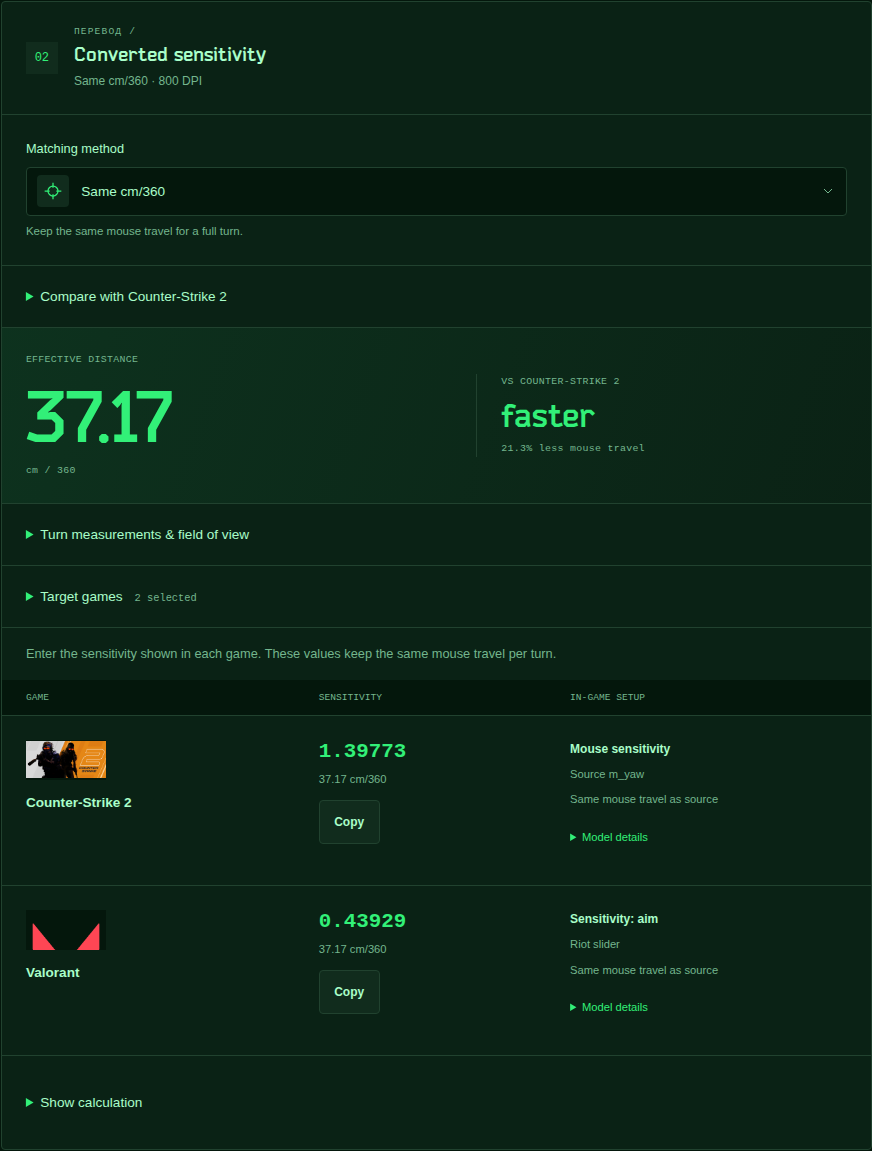
with 800 DPI, 0.246 Tarkov hipfire sensitivity, and no gear penalty, the community yaw model gives 37.17 cm/360. physical-distance matching gives 1.39773 in CS2, or 0.43929 in Valorant at the same DPI.
the separate CS2 control, 800 DPI at 1.1, takes 47.23 cm/360. the Tarkov example needs 21.3% less mouse travel. this describes distance, not a promise that the two cameras look or feel identical.
use Change reference beside the logo to choose another game, DPI, and sensitivity. the header and speed comparison use that setup. the results show one sensitivity per game with a copy button; an extra cm/360 baseline appears only when a FOV-aware match produces a different value.
###Example: account for gear
the 10% gear model changes 37.17 cm/360 to 41.30 cm/360. the equivalent CS2 sensitivity becomes 1.25795. this is a simple multiplier model; the preset does not claim to describe a particular armor item.
##Inputs follow the game
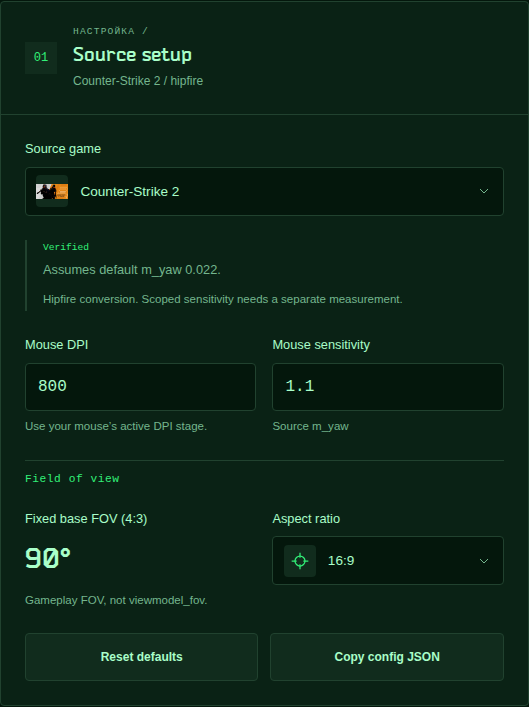
CS2 shows its fixed 90° base FOV at 4:3. Valorant shows its fixed horizontal view. Fortnite labels sensitivity in percentage points. trainers expose the sensitivity scale and projection convention selected inside the trainer. Tarkov-only ADS and equipment controls disappear for other games, and their stored values do not affect those conversions.
##Keep the optic in view
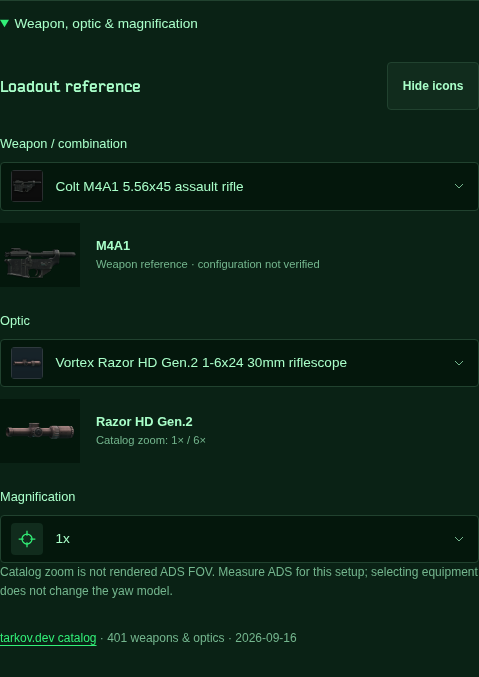
the bundled catalog contains 401 weapons and optics from json.tarkov.dev,
retrieved on 2026-09-16. weapon and optic dropdowns use separate lists.
the Razor dropdown offers the catalog's 1x and 6x settings; a custom option
allows a different measured setup. catalog zoom is not rendered ADS FOV.
the equipment dropdowns also include 252 armor items, plates, helmets, attachments, rigs and backpacks. armor uses class 4 or higher; unarmored rigs have at least 16 slots and backpacks at least 20. selecting a carrier reveals compatible plate slots. each item shows its listed movement, turning, and ergonomics modifiers. enter the total turning penalty shown in-game in the gear controls; the app does not add movement or ergonomics to mouse sensitivity. Arena uses these Tarkov stats as reference data.
###Example: measure ADS instead of guessing
keep the weapon, optic, magnification, and gear unchanged. measure three full turns: 47.0, 47.2, and 47.4 cm. add those trials in manual calibration, then select Use calibration as source. their average is 47.2 cm/360. set the additional gear model to 0% when those measurements already include your equipment, so the penalty is not applied twice.
settings stay in the browser. item images load by default from
assets.tarkov.dev; game artwork uses publisher and Steam image servers.
missing images keep a readable fallback, and calculations run locally.
open kalibr or browse the source on GitHub.
to run it from the site repository:
make dev-kalibr